
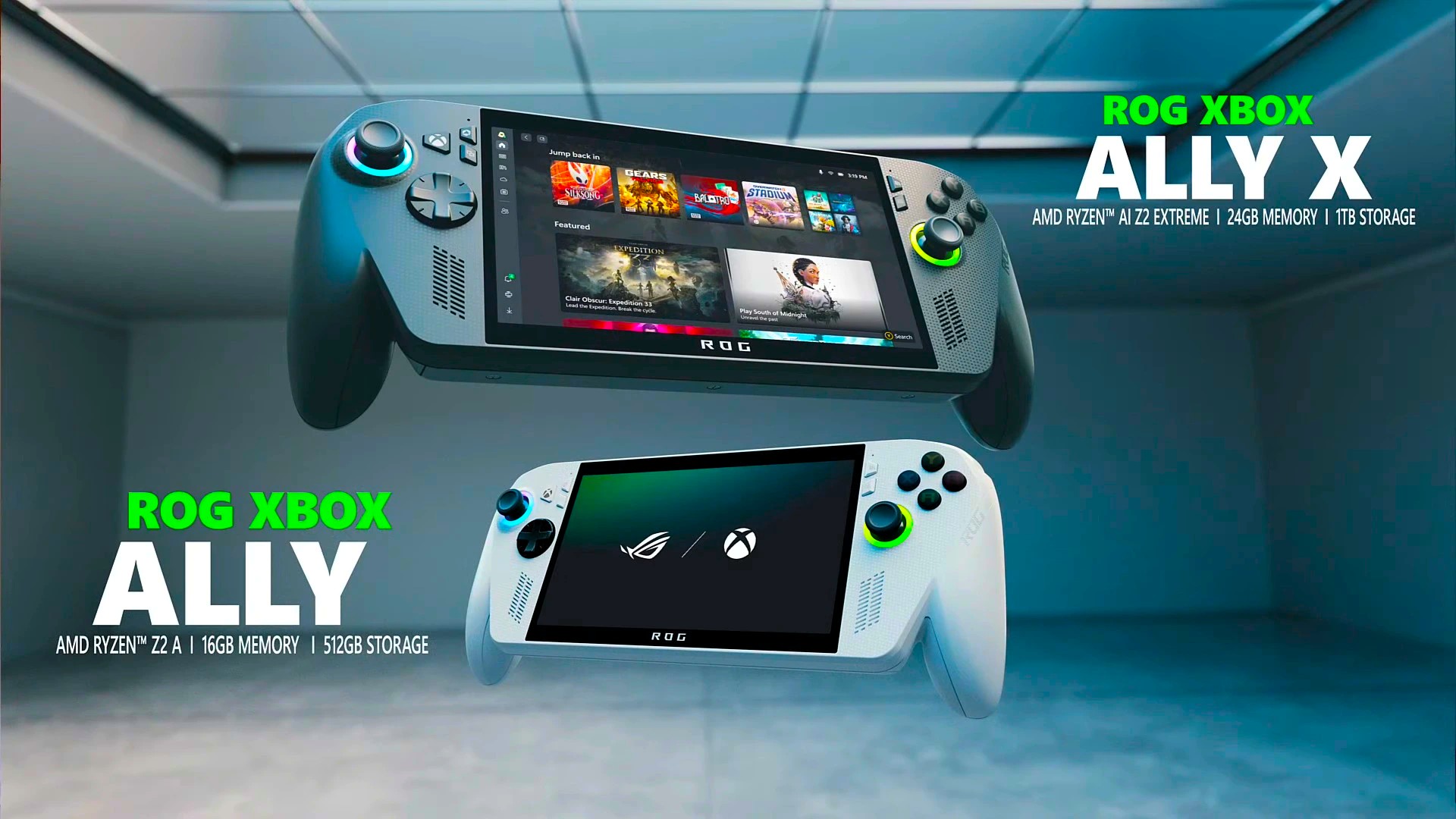
Even though the marketing has been relatively clear, there have still been a fair number of gamers that are left somewhat confused by what they’ll be able to play on the upcoming ROG Xbox Ally when it releases later this year. The best way to look at the device is to think of it as a mobile Windows 11 PC with deep Xbox integration and familiar console features.
You can play:
- Xbox PC Games via the Xbox app
- PC Game Pass titles (if subscribed)
- Xbox Play Anywhere games, which sync progress across Xbox consoles, PC, and the Ally
- Steam games, including many PlayStation ports
- Games from Epic Games Store, Ubisoft Connect, GOG, and other PC launchers
- Modded PC games, even those that don’t require a launcher
If you want to play Xbox console games, you’ve got two solid streaming options:
- Xbox Cloud Gaming (with Game Pass Ultimate)
- Xbox Remote Play (stream games from your own Xbox console to the Ally)
What you can’t do:
- You can’t play native Xbox console games directly on the device—it’s not a console emulator.
- Games you own only on Xbox (not Play Anywhere) must be streamed or repurchased on PC platforms.
The Ally boots into an Xbox-style full-screen interface, skipping the usual Windows desktop clutter. It’s designed to feel like a console, but with the flexibility of a PC, and with specs like a Ryzen Z2 processor, 120Hz display, and impulse triggers, it’s built for serious gaming on the go, rather than just feeling like any old mobile device. It’s pretty neat if I’m being honest.

Most Xbox console games will be playable in their PC form, though there are a select few titles that haven’t yet made their PC debut. Regardless, as the product progresses I am nearly certain that more options and functionality will be made available as technological advancements are utilized by the designers and crafty players are able to figure out ways to improve the systems on their own. I really hope that helped clear up any confusion, and I’m optimistic this will be the start of something awesome!